
Introduction
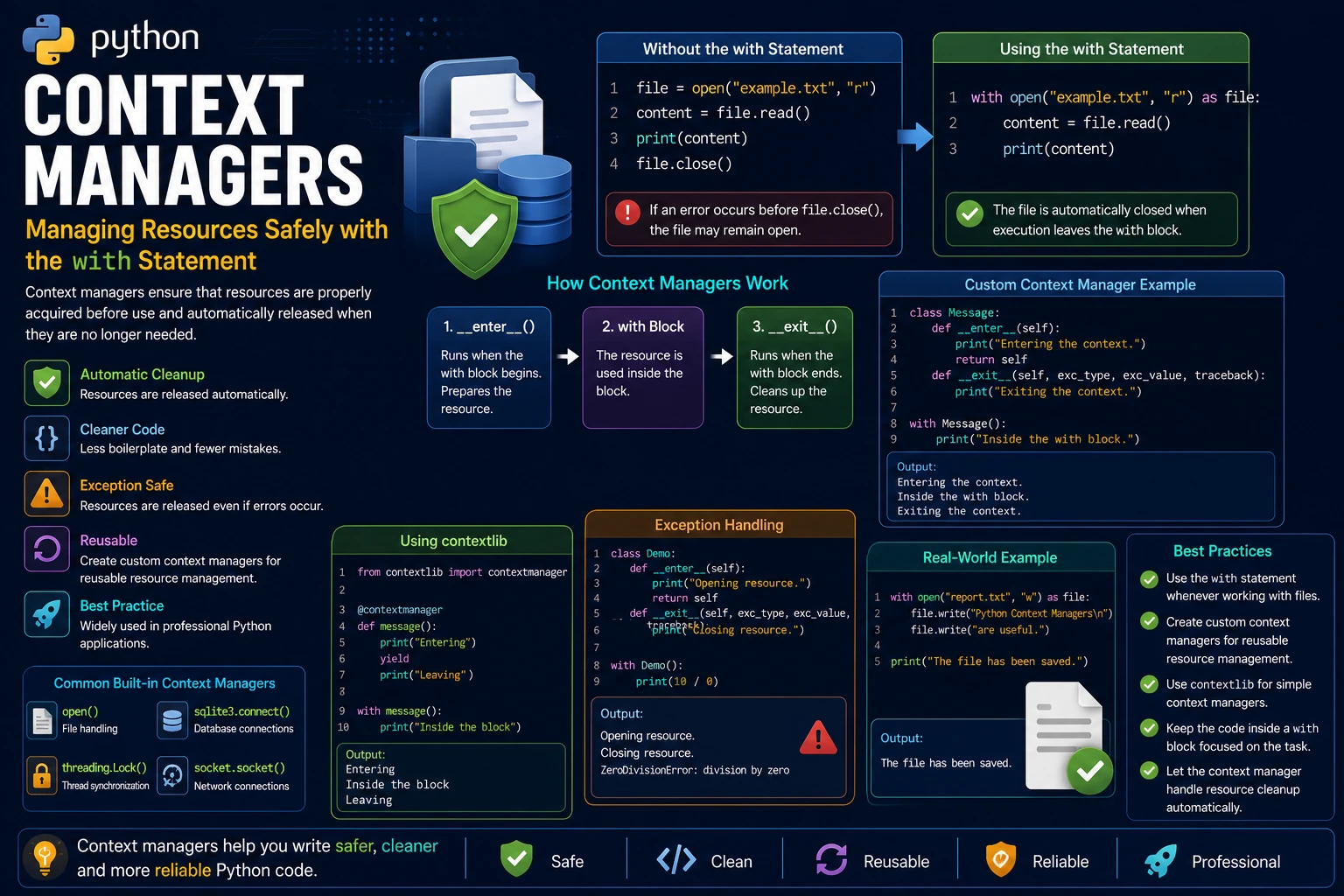
A context manager is an object that automatically manages resources such as files, database connections and network sockets. It ensures that resources are properly acquired before use and automatically released when they are no longer needed.
Python provides the with statement to work with context managers. Using with makes your code cleaner, safer and less prone to resource leaks.
Why Use Context Managers?
Without context managers, programmers must remember to close files or release resources manually. Forgetting to do so can lead to memory leaks, locked files and other unexpected problems.
- Automatically clean up resources.
- Reduce programming errors.
- Produce cleaner and more readable code.
- Handle exceptions safely.
- Widely used in professional Python applications.
Opening a File Without the with Statement
Traditionally, files are opened and closed manually.
file = open("example.txt", "r")

content = file.read()

print(content)

file.close()
If an error occurs before file.close() is executed, the file may remain open.
Using the with Statement
The with statement automatically closes the file, even if an exception occurs while processing it.
with open("example.txt", "r") as file:

    content = file.read()

    print(content)
Once execution leaves the with block, Python automatically closes the file.
Creating a Custom Context Manager
You can create your own context manager by defining a class that implements the __enter__() and __exit__() methods. These methods tell Python what to do when entering and leaving a with block.
class Message:

    def __enter__(self):
        print("Entering the context.")
        return self

    def __exit__(self, exc_type, exc_value, traceback):
        print("Exiting the context.")

with Message():
    print("Inside the with block.")
Output:
Entering the context.
Inside the with block.
Exiting the context.
Understanding __enter__() and __exit__()
The __enter__() method runs when the with block begins. It prepares the resource and can return an object that is assigned after the as keyword.
The __exit__() method always runs when the with block finishes, even if an exception occurs. It is responsible for cleaning up resources.
class Demo:

    def __enter__(self):
        print("Resource opened.")
        return self

    def __exit__(self, exc_type, exc_value, traceback):
        print("Resource released.")

with Demo() as demo:
    print("Using the resource.")
Output:
Resource opened.
Using the resource.
Resource released.
Handling Exceptions
One of the biggest advantages of context managers is that resources are cleaned up automatically, even when an exception occurs.
class Demo:

    def __enter__(self):
        print("Opening resource.")
        return self

    def __exit__(self, exc_type, exc_value, traceback):
        print("Closing resource.")

with Demo():

    print(10 / 0)
Output:
Opening resource.
Closing resource.
ZeroDivisionError: division by zero
Using contextlib
Python's contextlib module provides the @contextmanager decorator, allowing you to create context managers using a generator function instead of defining a class.
from contextlib import contextmanager

@contextmanager
def message():

    print("Entering")

    yield

    print("Leaving")

with message():
    print("Inside the block")
Output:
Entering
Inside the block
Leaving
Real-World Example
Context managers are widely used when working with files, databases, network connections and locks. In the example below, a file is opened, written to and automatically closed when the with block ends.
with open("report.txt", "w") as file:

    file.write("Python Context Managers are useful.")

print("The file has been saved.")
Output:
The file has been saved.
Even though the code never calls file.close(), the file is automatically closed when execution leaves the with block.
Advantages of Context Managers
- Automatically release resources.
- Prevent memory and resource leaks.
- Reduce the amount of cleanup code.
- Handle exceptions safely.
- Improve code readability.
- Encourage cleaner and more maintainable programs.
Best Practices
- Use the
withstatement whenever working with files. - Create custom context managers for reusable resource management.
- Use
contextlibfor simple context managers. - Keep the code inside a
withblock focused on the task being performed. - Allow the context manager to handle resource cleanup automatically.
Summary
Context managers provide a safe and elegant way to manage resources in Python. By using the with statement, resources such as files, database connections and network sockets are automatically cleaned up, even if an exception occurs. Understanding context managers helps you write cleaner, safer and more reliable Python applications and is considered a best practice in professional Python development.
Examples
The following examples help reinforce the concepts explained in this lesson.
<!DOCTYPE html>
<html>

<head>

<title>My First Page</title>

</head>

<body>

<h1>Hello World</h1>

</body>

</html>
💡 Pro Tip
Practice every concept immediately after reading it. Learning by doing is the fastest way to master HTML.
⚠ Common Mistake
Do not simply copy code examples. Type them yourself and experiment with small changes.
Best Practices
- Write clean and readable HTML.
- Indent your code consistently.
- Use semantic HTML elements.
- Validate your HTML regularly.
- Test your pages in multiple browsers.
Frequently Asked Questions
Why should I learn HTML first?
HTML is the foundation of every website. Once you understand HTML, learning CSS and JavaScript becomes much easier.
Is HTML difficult?
No. HTML is considered one of the easiest web technologies to learn, making it an excellent starting point for beginners.