
Introduction
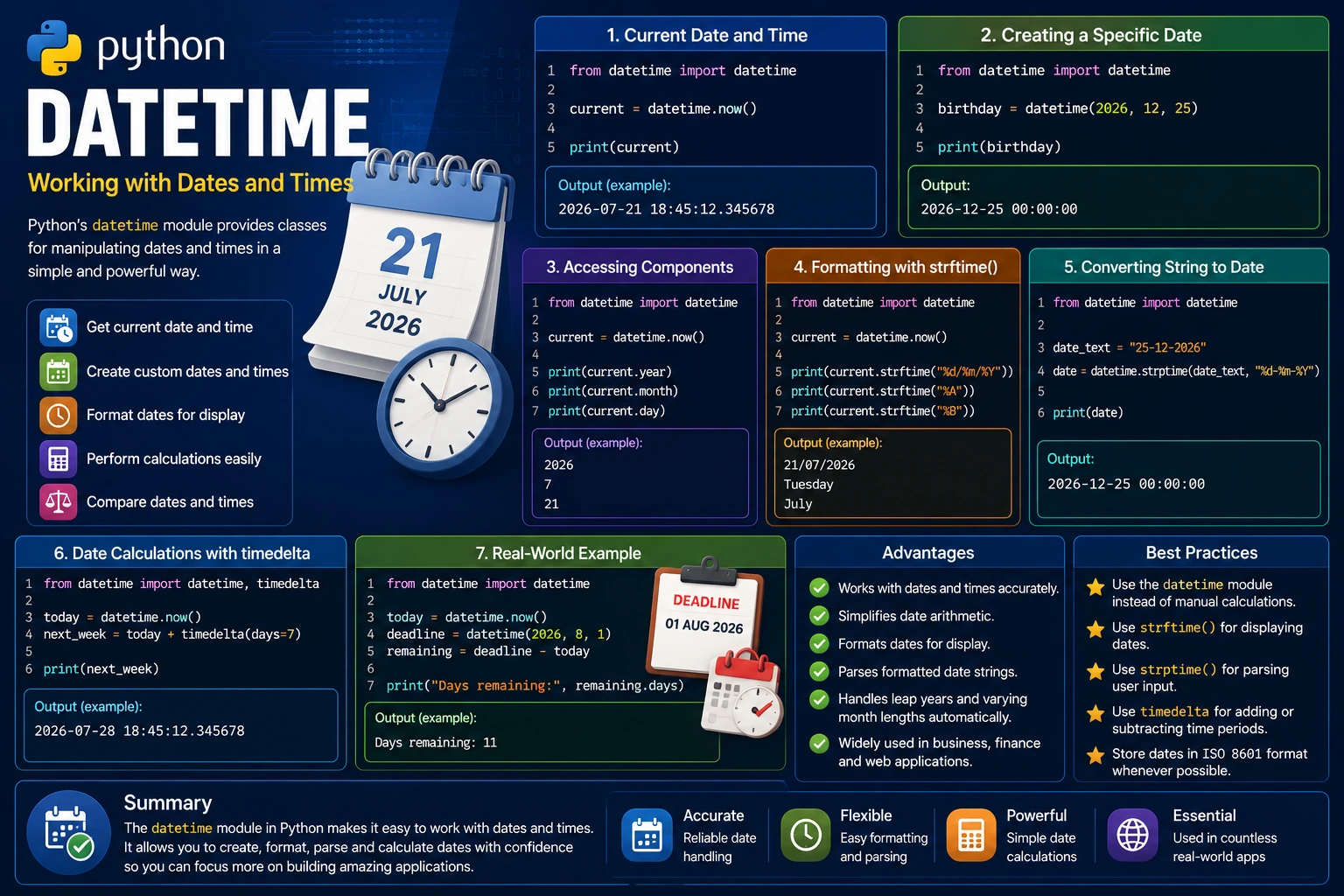
Python includes a built-in datetime module for working with dates and times. It allows you to create dates, retrieve the current date and time, format dates for display, perform calculations and compare dates.
The datetime module is widely used in applications such as calendars, scheduling systems, logging, financial software and web applications.
Why Use the Datetime Module?
Handling dates and times manually can be difficult because of leap years, different month lengths and time calculations. The datetime module simplifies these tasks.
- Retrieve the current date and time.
- Create custom dates and times.
- Format dates for display.
- Compare dates and times.
- Perform date calculations.
Getting the Current Date and Time
The now() method returns the current date and time.
from datetime import datetime

current = datetime.now()

print(current)
Output (example):
2026-07-21 18:45:12.345678
The exact output depends on the current date and time when the program is executed.
Creating a Specific Date
You can create a specific date and time by passing the year, month, day and optional time values to the datetime() constructor.
from datetime import datetime

birthday = datetime(2026, 12, 25)

print(birthday)
Output:
2026-12-25 00:00:00
Accessing Date and Time Components
Individual parts of a datetime object can be accessed using attributes such as year, month, day, hour, minute and second.
from datetime import datetime

current = datetime.now()

print(current.year)
print(current.month)
print(current.day)
Output (example):
2026
7
21
Formatting Dates with strftime()
The strftime() method formats a date or time into a readable string using formatting codes.
from datetime import datetime

current = datetime.now()

print(current.strftime("%d/%m/%Y"))
print(current.strftime("%A"))
print(current.strftime("%B"))
Output (example):
21/07/2026
Tuesday
July
Converting a String into a Date
The strptime() method converts a formatted string into a datetime object.
from datetime import datetime

date_text = "25-12-2026"

date = datetime.strptime(date_text, "%d-%m-%Y")

print(date)
Output:
2026-12-25 00:00:00
Performing Date Calculations
The timedelta class allows you to add or subtract days, hours and other time intervals.
from datetime import datetime, timedelta

today = datetime.now()

next_week = today + timedelta(days=7)

print(next_week)
Output (example):
2026-07-28 18:45:12.345678
This makes it easy to calculate future or past dates.
Real-World Example
The datetime module is commonly used to calculate deadlines, schedule events and determine how much time has passed between two dates.
from datetime import datetime

today = datetime.now()

deadline = datetime(2026, 8, 1)

remaining = deadline - today

print("Days remaining:", remaining.days)
Output (example):
Days remaining: 11
The exact number of days depends on the current date when the program is executed.
Advantages of the Datetime Module
- Works with dates and times accurately.
- Simplifies date arithmetic.
- Formats dates for display.
- Parses formatted date strings.
- Handles leap years and varying month lengths automatically.
- Widely used in business, finance and web applications.
Best Practices
- Use the
datetimemodule instead of manually calculating dates. - Use
strftime()to display dates in user-friendly formats. - Use
strptime()when converting user input into dates. - Use
timedeltafor adding or subtracting time periods. - Store dates in a standard format such as ISO 8601 whenever possible.
Summary
Python's datetime module provides everything needed to work with dates and times. You can retrieve the current date, create custom dates, format them for display, parse date strings and perform calculations with ease. Because date and time handling is required in countless real-world applications, mastering the datetime module is an essential skill for every Python developer.
Examples
The following examples help reinforce the concepts explained in this lesson.
<!DOCTYPE html>
<html>

<head>

<title>My First Page</title>

</head>

<body>

<h1>Hello World</h1>

</body>

</html>
💡 Pro Tip
Practice every concept immediately after reading it. Learning by doing is the fastest way to master HTML.
⚠ Common Mistake
Do not simply copy code examples. Type them yourself and experiment with small changes.
Best Practices
- Write clean and readable HTML.
- Indent your code consistently.
- Use semantic HTML elements.
- Validate your HTML regularly.
- Test your pages in multiple browsers.
Frequently Asked Questions
Why should I learn HTML first?
HTML is the foundation of every website. Once you understand HTML, learning CSS and JavaScript becomes much easier.
Is HTML difficult?
No. HTML is considered one of the easiest web technologies to learn, making it an excellent starting point for beginners.