
Introduction
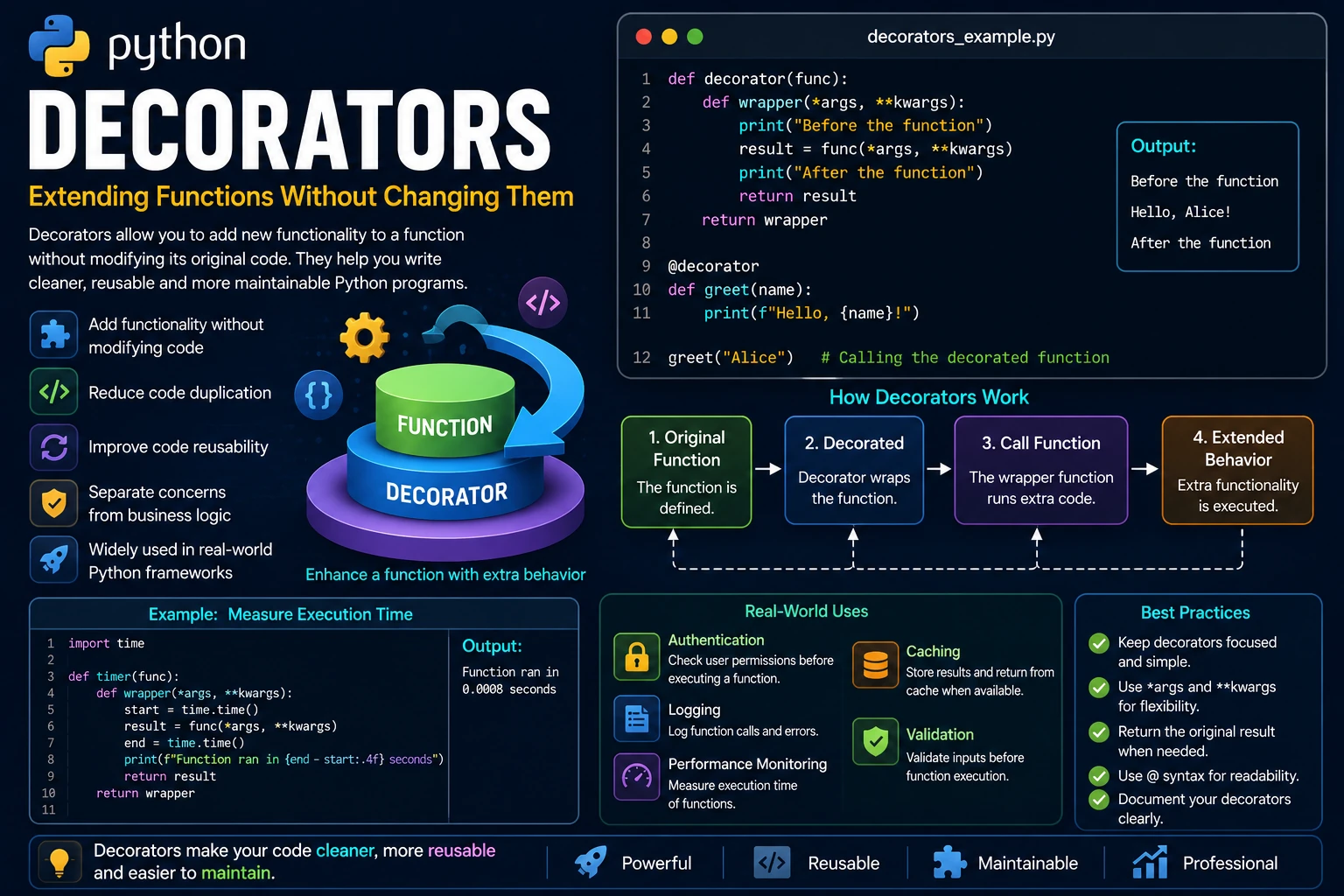
Decorators are one of Python's most powerful features. A decorator is a function that adds new functionality to another function without changing the function's original source code. This makes your code cleaner, more reusable and easier to maintain.
Decorators are widely used in Python frameworks such as Flask, Django and FastAPI for tasks like authentication, logging, caching and performance monitoring.
Why Use Decorators?
Instead of copying the same code into many functions, decorators allow you to write that code once and apply it wherever it is needed.
- Reduce duplicated code.
- Improve code organization.
- Make functions reusable.
- Separate functionality from business logic.
- Commonly used in professional Python applications.
Functions Are Objects
In Python, functions are first-class objects. This means they can be assigned to variables, passed as arguments and returned from other functions.
def greet():

    print("Hello!")

message = greet

message()
Output:
Hello!
Because functions are objects, they can be wrapped by other functions, making decorators possible.
Creating a Simple Decorator
A decorator is simply a function that accepts another function as an argument, adds some behavior, and returns a new function.
def decorator(func):

    def wrapper():
        print("Before the function")

        func()

        print("After the function")

    return wrapper

def greet():
    print("Hello!")

greet = decorator(greet)

greet()
Output:
Before the function
Hello!
After the function
Using the @ Decorator Syntax
Python provides a cleaner way to apply decorators using the @ symbol. This syntax is equivalent to assigning the decorated function manually but is much easier to read.
def decorator(func):

    def wrapper():
        print("Before the function")

        func()

        print("After the function")

    return wrapper

@decorator
def greet():
    print("Hello!")

greet()
Output:
Before the function
Hello!
After the function
Decorating Functions with Arguments
Many functions accept parameters. To support any number of positional and keyword arguments, decorators commonly use *args and **kwargs.
def decorator(func):

    def wrapper(*args, **kwargs):

        print("Starting...")

        func(*args, **kwargs)

        print("Finished.")

    return wrapper

@decorator
def greet(name):
    print(f"Hello, {name}!")

greet("Alice")
Output:
Starting...
Hello, Alice!
Finished.
Decorating Functions That Return Values
If the original function returns a value, the wrapper should return that value as well.
def decorator(func):

    def wrapper(*args, **kwargs):

        print("Calculating...")

        result = func(*args, **kwargs)

        print("Done.")

        return result

    return wrapper

@decorator
def add(a, b):
    return a + b

total = add(5, 7)

print(total)
Output:
Calculating...
Done.
12
Applying Multiple Decorators
More than one decorator can be applied to the same function. Python applies them from the bottom up.
def decorator1(func):

    def wrapper():
        print("Decorator 1")
        func()

    return wrapper

def decorator2(func):

    def wrapper():
        print("Decorator 2")
        func()

    return wrapper

@decorator1
@decorator2
def greet():
    print("Hello!")

greet()
Output:
Decorator 1
Decorator 2
Hello!
Real-World Example
Decorators are widely used in professional applications to perform tasks such as authentication, logging, measuring execution time and checking user permissions. In the example below, a decorator logs when a function starts and finishes.
def log_function(func):

    def wrapper(*args, **kwargs):

        print(f"Running {func.__name__}...")

        result = func(*args, **kwargs)

        print(f"{func.__name__} completed.")

        return result

    return wrapper

@log_function
def calculate():

    print("Performing calculation...")

calculate()
Output:
Running calculate...
Performing calculation...
calculate completed.
Advantages of Decorators
- Keep business logic separate from additional functionality.
- Reduce duplicated code.
- Improve code readability.
- Allow functionality to be reused across many functions.
- Commonly used for logging, authentication, caching and validation.
- Make applications easier to maintain and extend.
Best Practices
- Use decorators for reusable functionality.
- Keep decorators focused on a single responsibility.
- Support
*argsand**kwargsfor maximum flexibility. - Return the original function's result when appropriate.
- Use the
@syntax for cleaner and more readable code.
Summary
Decorators provide a powerful way to extend the behavior of functions without modifying their original code. By wrapping functions with additional functionality, decorators help eliminate duplicate code and improve maintainability. They are an essential feature of modern Python programming and are used extensively in popular frameworks such as Flask, Django and FastAPI for tasks including authentication, logging, caching and performance monitoring.
Examples
The following examples help reinforce the concepts explained in this lesson.
<!DOCTYPE html>
<html>

<head>

<title>My First Page</title>

</head>

<body>

<h1>Hello World</h1>

</body>

</html>
💡 Pro Tip
Practice every concept immediately after reading it. Learning by doing is the fastest way to master HTML.
⚠ Common Mistake
Do not simply copy code examples. Type them yourself and experiment with small changes.
Best Practices
- Write clean and readable HTML.
- Indent your code consistently.
- Use semantic HTML elements.
- Validate your HTML regularly.
- Test your pages in multiple browsers.
Frequently Asked Questions
Why should I learn HTML first?
HTML is the foundation of every website. Once you understand HTML, learning CSS and JavaScript becomes much easier.
Is HTML difficult?
No. HTML is considered one of the easiest web technologies to learn, making it an excellent starting point for beginners.