
Introduction
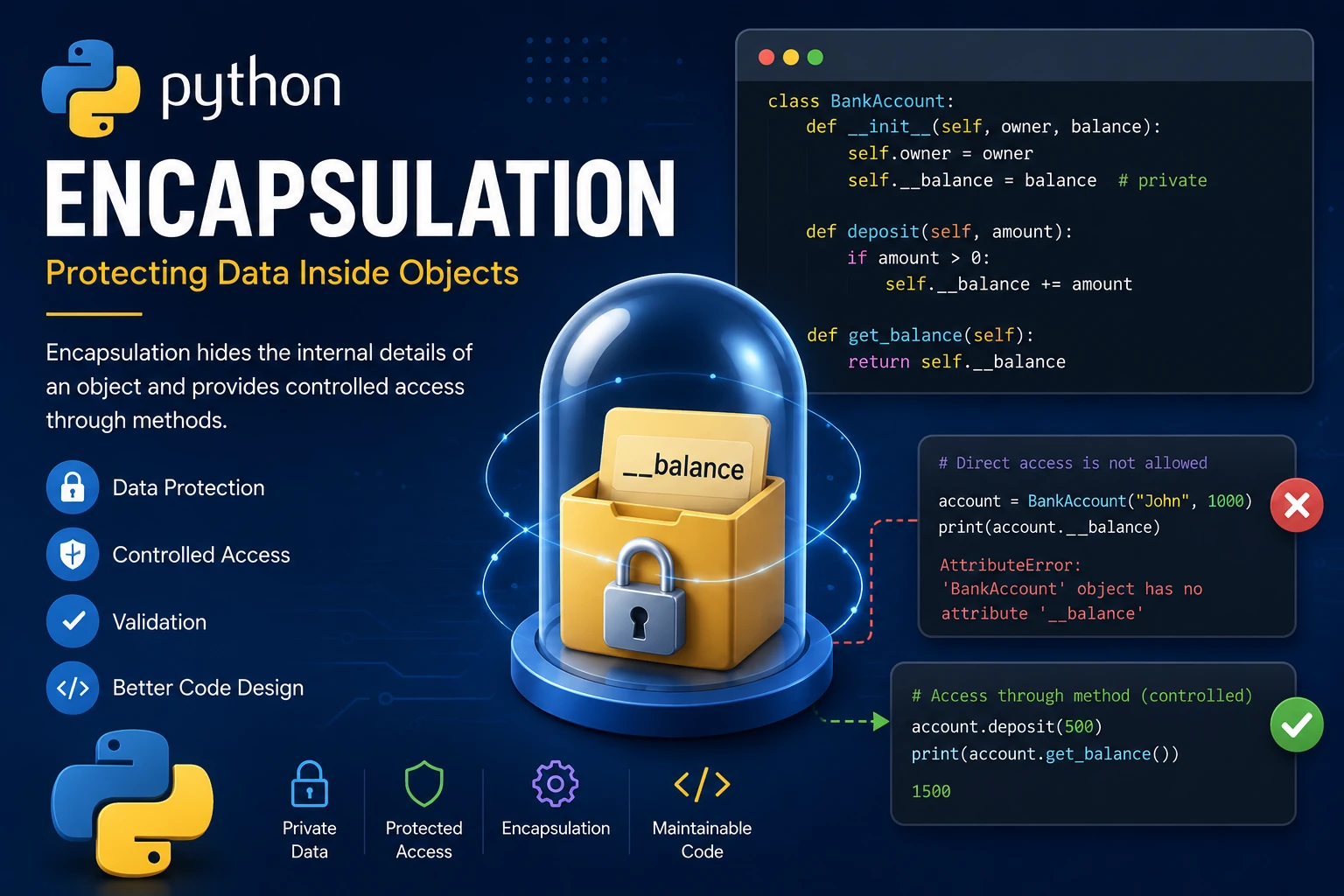
Encapsulation is one of the four fundamental principles of Object-Oriented Programming (OOP). It is the practice of keeping an object's data and the methods that operate on that data together inside a class while controlling how the data can be accessed.
Instead of allowing every part of a program to modify an object's data directly, encapsulation provides a safer way by exposing only the methods needed to interact with the object. This helps prevent accidental changes and makes programs easier to maintain.
Why Use Encapsulation?
Encapsulation protects data from being modified incorrectly and makes programs more secure and reliable. It also helps organize code by keeping related data and behavior together.
- Protects object data.
- Improves program security.
- Prevents accidental modification.
- Makes code easier to maintain.
- Encourages well-organized classes.
Public Attributes
By default, every attribute in Python is public. This means it can be accessed directly from outside the class.
class Student:

    def __init__(self, name):
        self.name = name

student = Student("Alice")

print(student.name)
Output:
Alice
Although public attributes are simple to use, they can be modified freely by any part of the program.
Protected Attributes
A protected attribute begins with a single underscore (_). This is a convention that tells other programmers the attribute should only be accessed within the class or its child classes.
class Student:

    def __init__(self, name):
        self._name = name

student = Student("Alice")

print(student._name)
Python does not prevent access to protected attributes, but the underscore serves as a warning that the attribute is intended for internal use.
Private Attributes
Private attributes begin with two underscores (__). Python uses a technique called name mangling to make these attributes difficult to access directly from outside the class.
class BankAccount:

    def __init__(self, balance):
        self.__balance = balance

account = BankAccount(500)

print(account.__balance)
Output:
AttributeError:
'BankAccount' object has no attribute '__balance'
The private attribute cannot be accessed directly because it is intended to remain hidden inside the class.
Using Getter Methods
A getter method allows other parts of the program to read private data without accessing the private attribute directly.
class BankAccount:

    def __init__(self, balance):
        self.__balance = balance

    def get_balance(self):
        return self.__balance

account = BankAccount(500)

print(account.get_balance())
Output:
500
Using Setter Methods
A setter method allows private data to be modified safely. Validation can also be added before changing the value.
class BankAccount:

    def __init__(self, balance):
        self.__balance = balance

    def set_balance(self, amount):

        if amount >= 0:
            self.__balance = amount

    def get_balance(self):
        return self.__balance

account = BankAccount(500)

account.set_balance(800)

print(account.get_balance())
Output:
800
Validating Data
One of the biggest advantages of encapsulation is the ability to validate data before it is stored.
class Student:

    def __init__(self):
        self.__age = 0

    def set_age(self, age):

        if age >= 0:
            self.__age = age
        else:
            print("Invalid age.")

    def get_age(self):
        return self.__age

student = Student()

student.set_age(18)

print(student.get_age())

student.set_age(-5)
Output:
18
Invalid age.
Real-World Example
Imagine you're developing a banking application. Customers should not be allowed to change their account balance directly. Instead, all deposits and withdrawals should go through methods that validate the transaction.
class BankAccount:

    def __init__(self, owner, balance):
        self.owner = owner
        self.__balance = balance

    def deposit(self, amount):

        if amount > 0:
            self.__balance += amount

    def withdraw(self, amount):

        if amount <= self.__balance:
            self.__balance -= amount
        else:
            print("Insufficient funds.")

    def get_balance(self):
        return self.__balance

account = BankAccount("John", 1000)

account.deposit(500)

account.withdraw(200)

print(account.get_balance())
Output:
1300
Advantages of Encapsulation
- Protects important data from accidental modification.
- Improves application security.
- Allows validation before updating data.
- Makes classes easier to maintain.
- Reduces bugs caused by invalid values.
- Creates cleaner and more reliable programs.
Best Practices
- Keep sensitive data private whenever possible.
- Provide getter methods only when reading data is necessary.
- Validate values inside setter methods.
- Keep class data consistent by preventing invalid updates.
- Expose only the methods that users of the class actually need.
Summary
Encapsulation is the practice of protecting an object's internal data while providing controlled access through methods. By combining private attributes with getter and setter methods, you can build Python applications that are safer, easier to maintain and less prone to programming errors. Together with classes and inheritance, encapsulation forms one of the core building blocks of Object-Oriented Programming in Python.
Examples
The following examples help reinforce the concepts explained in this lesson.
<!DOCTYPE html>
<html>

<head>

<title>My First Page</title>

</head>

<body>

<h1>Hello World</h1>

</body>

</html>
💡 Pro Tip
Practice every concept immediately after reading it. Learning by doing is the fastest way to master HTML.
⚠ Common Mistake
Do not simply copy code examples. Type them yourself and experiment with small changes.
Best Practices
- Write clean and readable HTML.
- Indent your code consistently.
- Use semantic HTML elements.
- Validate your HTML regularly.
- Test your pages in multiple browsers.
Frequently Asked Questions
Why should I learn HTML first?
HTML is the foundation of every website. Once you understand HTML, learning CSS and JavaScript becomes much easier.
Is HTML difficult?
No. HTML is considered one of the easiest web technologies to learn, making it an excellent starting point for beginners.