
Introduction
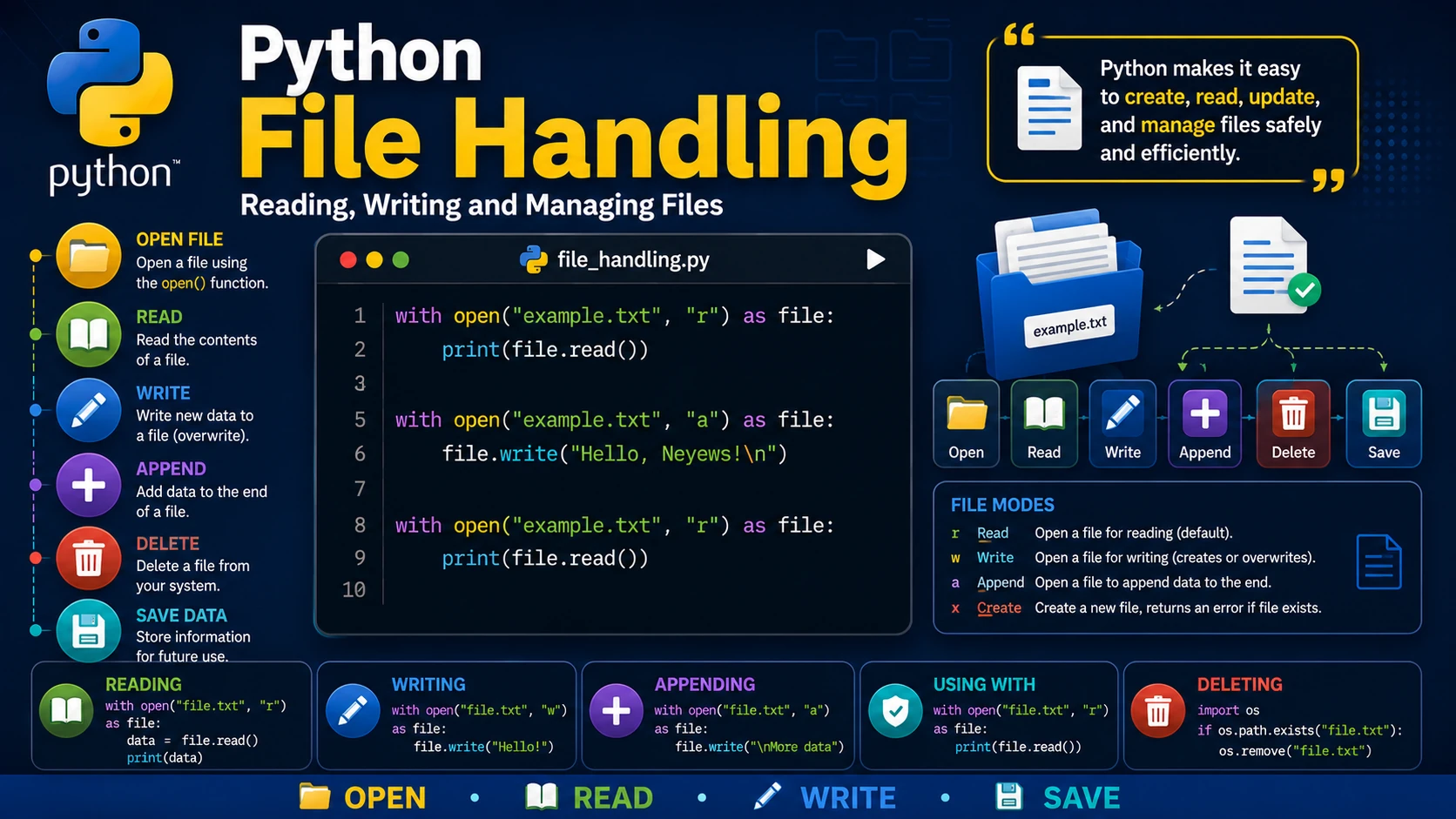
Most real-world programs need to store and retrieve information. Python provides built-in functions that make working with files simple and efficient. You can create, read, update, append, and delete files with just a few lines of code.
Opening a File
Use the open() function to open a file.
file = open("example.txt", "r")
print(file.read())
file.close()
The second argument specifies the file mode.
r— Read (default)w— Write (creates or overwrites)a— Appendx— Create new file
Reading a File
file = open("example.txt", "r")

print(file.read())

file.close()
Writing to a File
file = open("example.txt", "w")

file.write("Hello, Neyews!")

file.close()
Appending to a File
file = open("example.txt", "a")

file.write("\nPython is awesome!")

file.close()
Using the with Statement
The with statement automatically closes the file, even if an error occurs.
with open("example.txt", "r") as file:
    print(file.read())
Deleting a File
import os

if os.path.exists("example.txt"):
    os.remove("example.txt")
Best Practices
- Prefer the
withstatement when working with files. - Always check whether a file exists before deleting it.
- Close files properly when not using
with. - Handle possible exceptions when opening files.
Real-World Example
with open("students.txt", "a") as file:
    file.write("Alice\n")
    file.write("John\n")
    file.write("Emma\n")
This example saves student names to a text file that can later be read by another program.
Summary
Python makes file handling easy with built-in functions such as open() and the recommended with statement. Learning file handling is essential because most applications need to save and retrieve information from files.
Examples
The following examples help reinforce the concepts explained in this lesson.
<!DOCTYPE html>
<html>

<head>

<title>My First Page</title>

</head>

<body>

<h1>Hello World</h1>

</body>

</html>
💡 Pro Tip
Practice every concept immediately after reading it. Learning by doing is the fastest way to master HTML.
⚠ Common Mistake
Do not simply copy code examples. Type them yourself and experiment with small changes.
Best Practices
- Write clean and readable HTML.
- Indent your code consistently.
- Use semantic HTML elements.
- Validate your HTML regularly.
- Test your pages in multiple browsers.
Frequently Asked Questions
Why should I learn HTML first?
HTML is the foundation of every website. Once you understand HTML, learning CSS and JavaScript becomes much easier.
Is HTML difficult?
No. HTML is considered one of the easiest web technologies to learn, making it an excellent starting point for beginners.