
Introduction
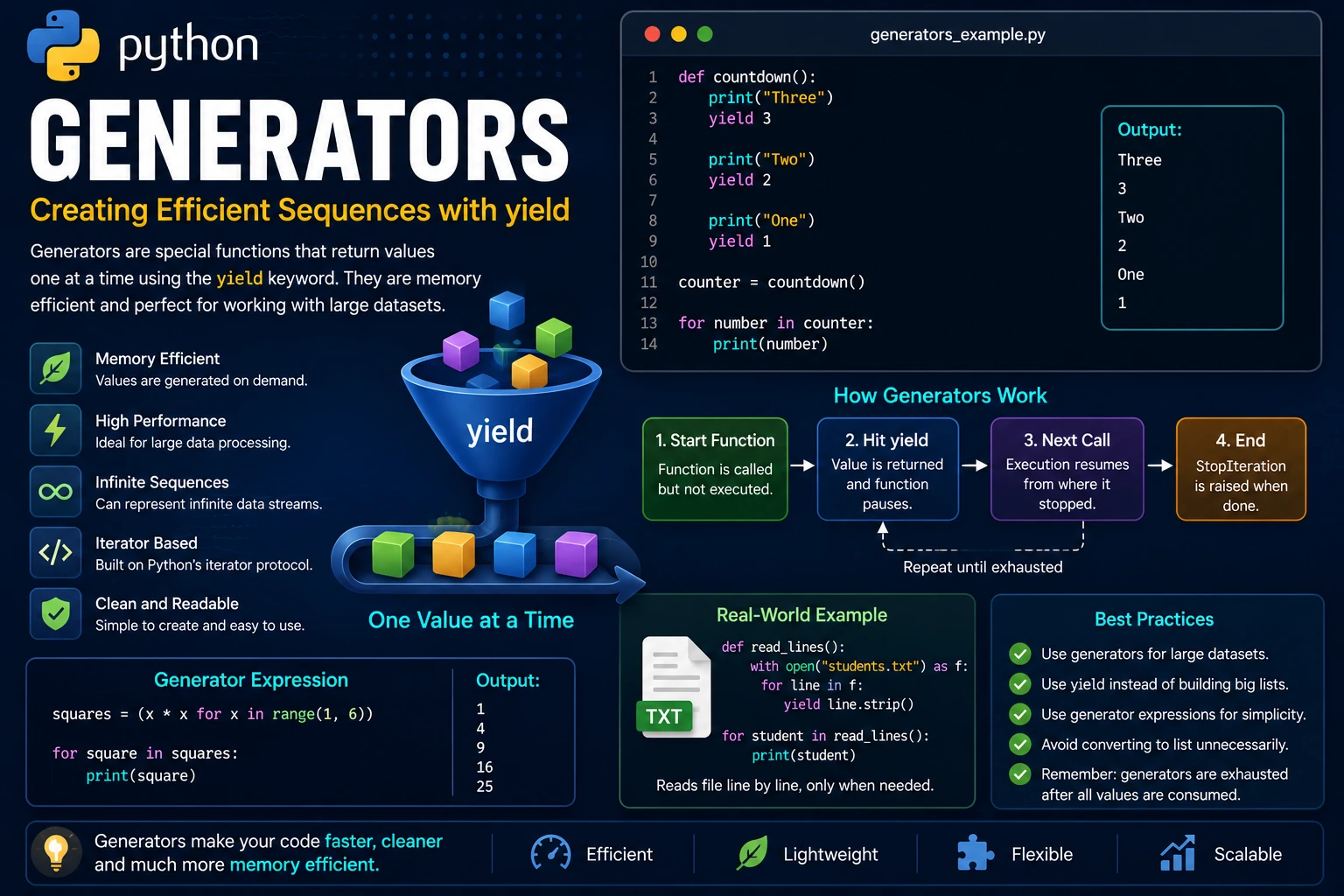
A generator is a special type of function that returns values one at a time instead of returning them all at once. Generators are built using the yield keyword and are one of Python's most powerful features for writing efficient, memory-friendly programs.
Unlike a normal function, which ends after executing a return statement, a generator pauses whenever it reaches a yield statement. The next time it is called, execution resumes exactly where it stopped.
Why Use Generators?
Generators are ideal for working with large amounts of data because they produce values only when they are needed. This reduces memory usage and often improves performance.
- Consume very little memory.
- Generate values on demand.
- Perfect for processing large datasets.
- Easy to create using
yield. - Based on Python's iterator protocol.
return vs yield
A normal function returns a value once and then finishes. A generator uses yield to return a value while keeping its current state so it can continue later.
def numbers():

    yield 1
    yield 2
    yield 3

generator = numbers()

print(generator)
The function does not execute immediately. Instead, it returns a generator object.
Getting Values from a Generator
You can retrieve each value using the next() function.
def numbers():

    yield 10
    yield 20
    yield 30

generator = numbers()

print(next(generator))
print(next(generator))
print(next(generator))
Output:
10
20
30
Using a Generator with a for Loop
Generators are iterable, so they work naturally with for loops. Python automatically retrieves each value until the generator is exhausted.
def fruits():

    yield "Apple"
    yield "Banana"
    yield "Orange"

for fruit in fruits():
    print(fruit)
Output:
Apple
Banana
Orange
Generators Remember Their State
One of the biggest advantages of generators is that they remember where they stopped. Each call to next() continues execution from the previous yield statement.
def countdown():

    print("Three")
    yield 3

    print("Two")
    yield 2

    print("One")
    yield 1

counter = countdown()

print(next(counter))
print(next(counter))
print(next(counter))
Output:
Three
3
Two
2
One
1
Processing Large Data Efficiently
Generators are especially useful when working with very large datasets because they generate one value at a time instead of storing every value in memory.
def even_numbers(limit):

    number = 2

    while number <= limit:
        yield number
        number += 2

for value in even_numbers(10):
    print(value)
Output:
2
4
6
8
10
Generator Expressions
Python also supports generator expressions, which are similar to list comprehensions but use parentheses instead of square brackets. They create generator objects without storing all values in memory.
squares = (x * x for x in range(1, 6))

for square in squares:
    print(square)
Output:
1
4
9
16
25
Real-World Example
Generators are commonly used to process large log files, database records and data streams. Instead of loading all the data into memory, a generator reads and processes one record at a time.
def read_lines():

    with open("students.txt", "r") as file:

        for line in file:
            yield line.strip()

for student in read_lines():
    print(student)
Each line is read only when it is needed, making the program efficient even for very large files.
Advantages of Generators
- Use very little memory.
- Generate values only when needed.
- Ideal for processing large datasets.
- Produce cleaner and more readable code.
- Can represent infinite sequences.
- Integrate seamlessly with Python's iterator protocol.
Best Practices
- Use generators when processing large collections of data.
- Prefer
yieldover building large temporary lists. - Use generator expressions for simple one-line generators.
- Avoid converting generators to lists unless necessary.
- Remember that a generator is exhausted after all of its values have been consumed.
Summary
Generators provide an elegant way to create iterators using the yield keyword. They generate values one at a time, making programs faster and more memory-efficient when working with large datasets or continuous streams of information. Because generators implement the iterator protocol automatically, they work naturally with for loops and many built-in Python functions, making them an essential tool for writing efficient Python applications.
Examples
The following examples help reinforce the concepts explained in this lesson.
<!DOCTYPE html>
<html>

<head>

<title>My First Page</title>

</head>

<body>

<h1>Hello World</h1>

</body>

</html>
💡 Pro Tip
Practice every concept immediately after reading it. Learning by doing is the fastest way to master HTML.
⚠ Common Mistake
Do not simply copy code examples. Type them yourself and experiment with small changes.
Best Practices
- Write clean and readable HTML.
- Indent your code consistently.
- Use semantic HTML elements.
- Validate your HTML regularly.
- Test your pages in multiple browsers.
Frequently Asked Questions
Why should I learn HTML first?
HTML is the foundation of every website. Once you understand HTML, learning CSS and JavaScript becomes much easier.
Is HTML difficult?
No. HTML is considered one of the easiest web technologies to learn, making it an excellent starting point for beginners.