
Introduction
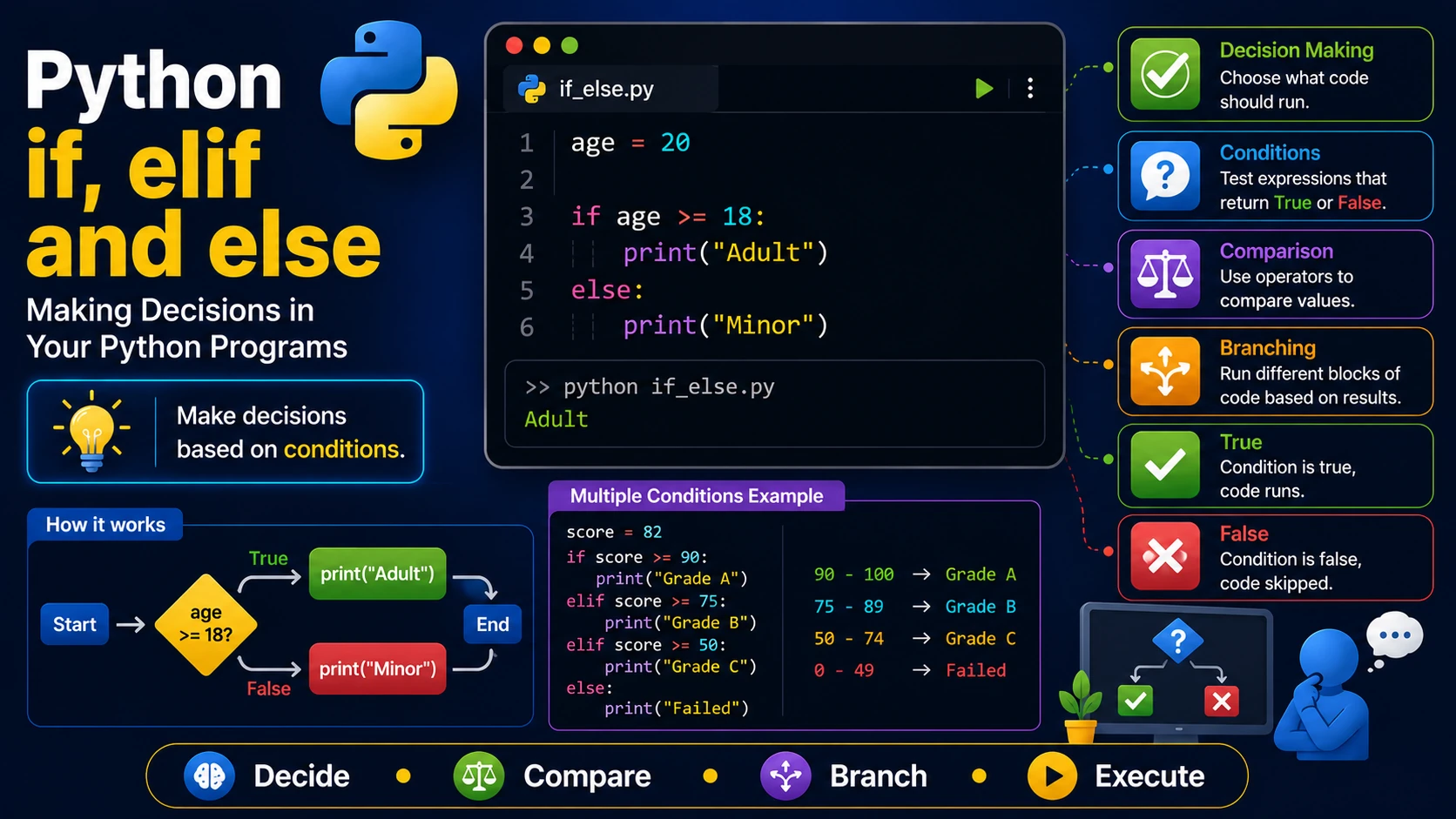
Programs often need to make decisions. For example, you may want to display a message only if a user is logged in, check whether a student has passed an exam, or determine if someone is old enough to vote. Python uses if, elif, and else statements to perform these decisions.
The if Statement
The if statement executes a block of code only when a condition is true.
age = 20

if age >= 18:
    print("You are an adult.")
The else Statement
The else block runs when the if condition is false.
age = 15

if age >= 18:
    print("Adult")
else:
    print("Minor")
The elif Statement
Use elif when you need to test multiple conditions.
score = 82

if score >= 90:
    print("Grade A")
elif score >= 75:
    print("Grade B")
elif score >= 50:
    print("Grade C")
else:
    print("Failed")
Using Comparison Operators
temperature = 30

if temperature > 35:
    print("Very Hot")
elif temperature > 25:
    print("Warm")
else:
    print("Cool")
Using Logical Operators
age = 30
citizen = True

if age >= 18 and citizen:
    print("Eligible to vote")
Nested if Statements
An if statement can contain another if statement.
age = 20
has_ticket = True

if age >= 18:
    if has_ticket:
        print("You may enter.")
Real-World Example
username = input("Username: ")
password = input("Password: ")

if username == "admin" and password == "1234":
    print("Login successful")
else:
    print("Invalid username or password")
Best Practices
- Keep conditions simple and readable.
- Use
elifinstead of multiple separateifstatements when only one result should be selected. - Indent code correctly.
- Avoid deeply nested conditions when possible.
Summary
The if, elif, and else statements allow Python programs to make decisions. Combined with comparison and logical operators, they form the foundation of intelligent and interactive applications.
Examples
The following examples help reinforce the concepts explained in this lesson.
<!DOCTYPE html>
<html>

<head>

<title>My First Page</title>

</head>

<body>

<h1>Hello World</h1>

</body>

</html>
💡 Pro Tip
Practice every concept immediately after reading it. Learning by doing is the fastest way to master HTML.
⚠ Common Mistake
Do not simply copy code examples. Type them yourself and experiment with small changes.
Best Practices
- Write clean and readable HTML.
- Indent your code consistently.
- Use semantic HTML elements.
- Validate your HTML regularly.
- Test your pages in multiple browsers.
Frequently Asked Questions
Why should I learn HTML first?
HTML is the foundation of every website. Once you understand HTML, learning CSS and JavaScript becomes much easier.
Is HTML difficult?
No. HTML is considered one of the easiest web technologies to learn, making it an excellent starting point for beginners.