
Introduction
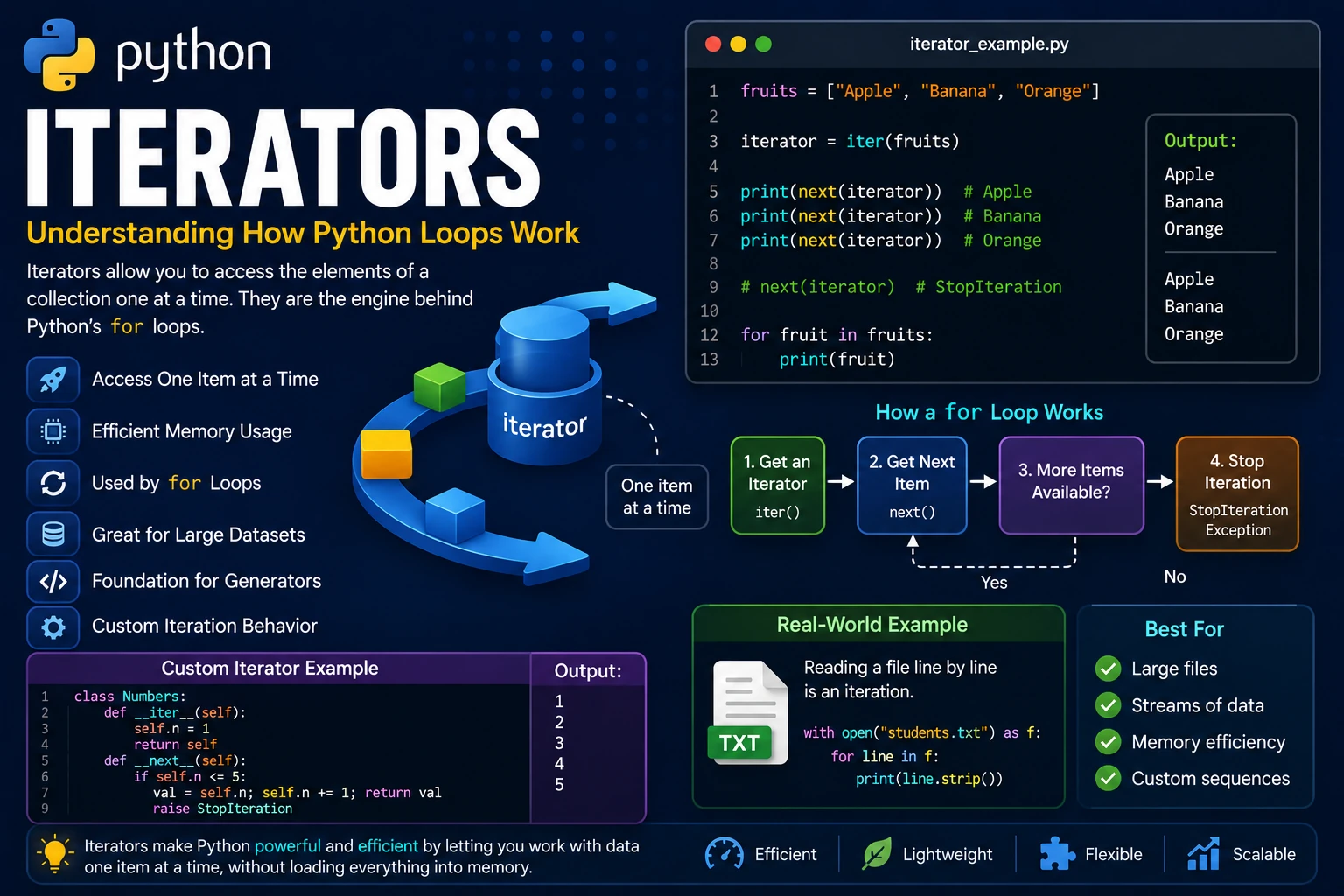
An iterator is an object that allows you to access the elements of a collection one at a time. Every time you request the next value, the iterator returns it until there are no more values left.
Iterators are used throughout Python. Whenever you use a for loop, Python automatically creates an iterator behind the scenes to retrieve each item in the sequence.
Why Use Iterators?
Iterators provide an efficient way to process data without loading everything into memory at once. They are especially useful when working with large collections or streams of data.
- Efficient memory usage.
- Process items one at a time.
- Used automatically by
forloops. - Useful for large datasets.
- Form the basis of generators.
Iterable vs Iterator
An iterable is any object that can be looped over, such as a list, tuple, string or dictionary. An iterator is the object that actually performs the iteration.
You can create an iterator from an iterable using the iter() function.
fruits = ["Apple", "Banana", "Orange"]

iterator = iter(fruits)

print(iterator)
The output displays an iterator object.
The next() Function
Once an iterator has been created, the next() function retrieves one item at a time.
fruits = ["Apple", "Banana", "Orange"]

iterator = iter(fruits)

print(next(iterator))
print(next(iterator))
print(next(iterator))
Output:
Apple
Banana
Orange
The StopIteration Exception
When an iterator has no more items to return, calling the next() function raises a StopIteration exception. This signals that the iteration has reached the end.
numbers = [1, 2]

iterator = iter(numbers)

print(next(iterator))
print(next(iterator))
print(next(iterator))
Output:
1
2
StopIteration
Normally, you do not see this exception because Python's for loop handles it automatically.
How a for Loop Uses an Iterator
A for loop creates an iterator automatically and repeatedly calls next() until a StopIteration exception occurs.
colors = ["Red", "Green", "Blue"]

for color in colors:
    print(color)
Output:
Red
Green
Blue
Although the iterator is hidden, Python performs the same operations internally.
Creating a Custom Iterator
You can create your own iterator by defining a class that implements the __iter__() and __next__() methods.
class Numbers:

    def __iter__(self):
        self.number = 1
        return self

    def __next__(self):

        if self.number <= 5:
            value = self.number
            self.number += 1
            return value
        else:
            raise StopIteration

numbers = Numbers()

for value in numbers:
    print(value)
Output:
1
2
3
4
5
Infinite Iterators
A custom iterator does not have to stop automatically. If the __next__() method never raises StopIteration, the iterator becomes infinite. Be careful when using infinite iterators because they can create endless loops.
class Counter:

    def __iter__(self):
        self.count = 1
        return self

    def __next__(self):
        value = self.count
        self.count += 1
        return value

counter = Counter()

for number in counter:
    if number > 5:
        break
    print(number)
Output:
1
2
3
4
5
Real-World Example
Iterators are commonly used when reading large amounts of data. Instead of loading an entire file into memory, Python reads one line at a time, making programs more memory-efficient.
file = open("students.txt", "r")

for line in file:
    print(line.strip())

file.close()
Each iteration reads only one line from the file until the end is reached.
Advantages of Iterators
- Use memory efficiently by processing one item at a time.
- Handle very large collections without loading everything into memory.
- Power Python's
forloops. - Allow custom iteration behavior.
- Provide the foundation for generators.
- Make data processing more efficient.
Best Practices
- Use
forloops whenever possible instead of callingnext()manually. - Raise
StopIterationwhen creating custom iterators. - Use iterators for processing large datasets.
- Avoid creating infinite iterators unless they are intentionally required.
- Consider using generators for simpler custom iterators.
Summary
Iterators are objects that return one item at a time from a collection. Every for loop in Python relies on an iterator internally. By understanding the iter() and next() functions, as well as how custom iterators work, you gain a deeper understanding of Python's iteration model. Iterators also form the basis for generators, which provide an even more convenient way to create efficient sequences.
Examples
The following examples help reinforce the concepts explained in this lesson.
<!DOCTYPE html>
<html>

<head>

<title>My First Page</title>

</head>

<body>

<h1>Hello World</h1>

</body>

</html>
💡 Pro Tip
Practice every concept immediately after reading it. Learning by doing is the fastest way to master HTML.
⚠ Common Mistake
Do not simply copy code examples. Type them yourself and experiment with small changes.
Best Practices
- Write clean and readable HTML.
- Indent your code consistently.
- Use semantic HTML elements.
- Validate your HTML regularly.
- Test your pages in multiple browsers.
Frequently Asked Questions
Why should I learn HTML first?
HTML is the foundation of every website. Once you understand HTML, learning CSS and JavaScript becomes much easier.
Is HTML difficult?
No. HTML is considered one of the easiest web technologies to learn, making it an excellent starting point for beginners.