
Introduction
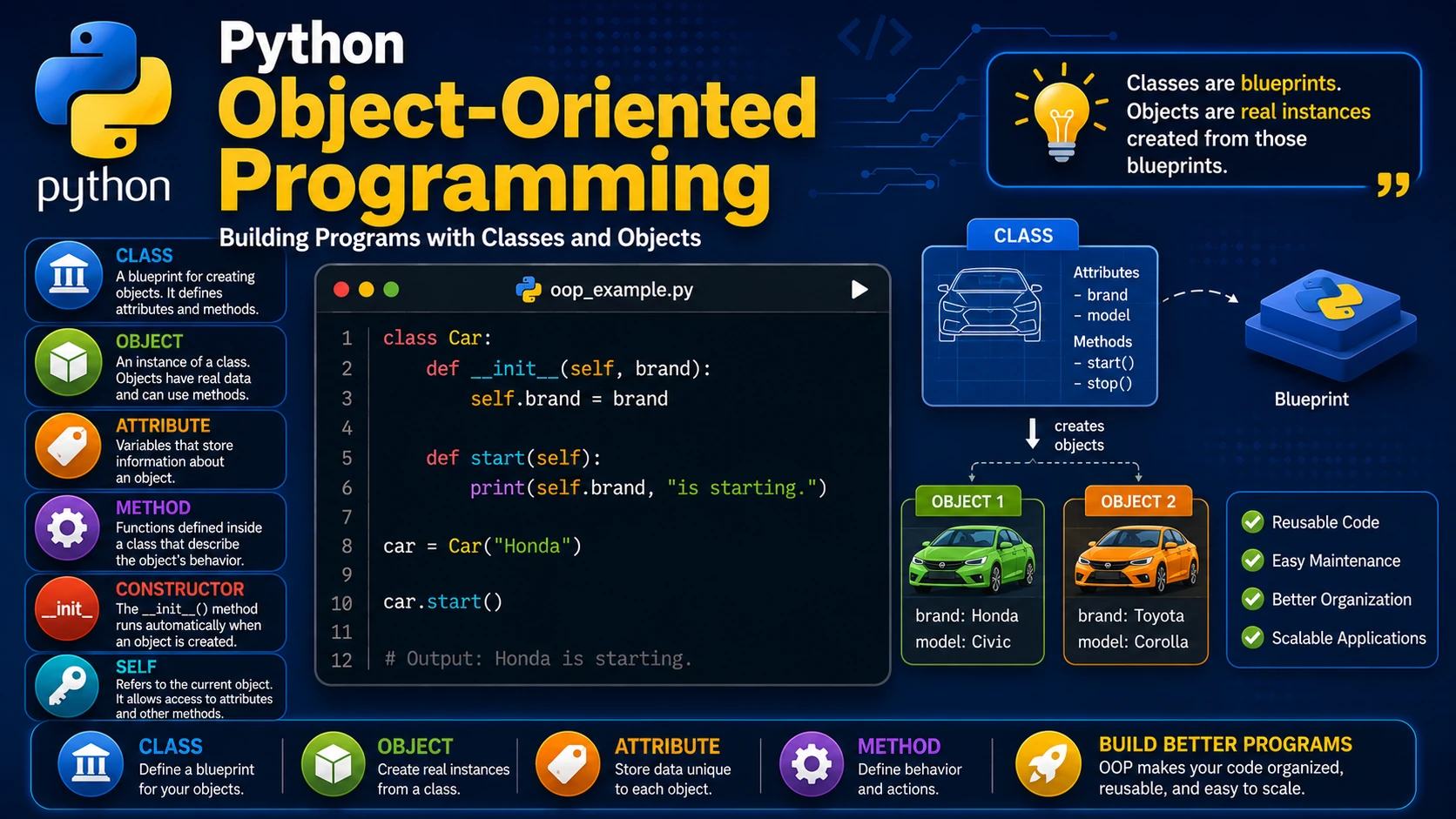
Object-Oriented Programming (OOP) is a programming style that organizes code into objects. Objects combine data (attributes) and behavior (methods), making programs easier to design, maintain, and expand.
What is a Class?
A class is a blueprint for creating objects. It defines the properties and behaviors that its objects will have.
class Car:
    pass
Creating an Object
An object is an instance of a class.
class Car:
    pass

my_car = Car()

print(type(my_car))
Attributes
Attributes store information about an object.
class Car:

    def __init__(self, brand, model):
        self.brand = brand
        self.model = model

car = Car("Toyota", "Corolla")

print(car.brand)
print(car.model)
Methods
Methods are functions that belong to a class.
class Car:

    def __init__(self, brand):
        self.brand = brand

    def start(self):
        print(self.brand, "is starting.")

car = Car("Honda")

car.start()
The Constructor (__init__)
The __init__() method runs automatically when an object is created. It is commonly used to initialize attributes.
Understanding self
The self parameter refers to the current object. It allows methods to access the object's attributes and other methods.
Real-World Example
class Student:

    def __init__(self, name, grade):
        self.name = name
        self.grade = grade

    def display(self):
        print(self.name, "-", self.grade)

student1 = Student("Alice", "A")
student2 = Student("John", "B")

student1.display()
student2.display()
Advantages of OOP
- Organizes code into reusable objects.
- Makes large programs easier to maintain.
- Improves code readability.
- Supports modular programming.
- Provides the foundation for advanced software development.
Best Practices
- Use descriptive class names.
- Keep classes focused on one responsibility.
- Initialize attributes in the constructor.
- Write methods that perform clear, specific tasks.
Summary
Object-Oriented Programming is one of Python's most powerful features. By learning how to create classes and objects, you'll be able to build organized, reusable, and scalable applications.
Examples
The following examples help reinforce the concepts explained in this lesson.
<!DOCTYPE html>
<html>

<head>

<title>My First Page</title>

</head>

<body>

<h1>Hello World</h1>

</body>

</html>
💡 Pro Tip
Practice every concept immediately after reading it. Learning by doing is the fastest way to master HTML.
⚠ Common Mistake
Do not simply copy code examples. Type them yourself and experiment with small changes.
Best Practices
- Write clean and readable HTML.
- Indent your code consistently.
- Use semantic HTML elements.
- Validate your HTML regularly.
- Test your pages in multiple browsers.
Frequently Asked Questions
Why should I learn HTML first?
HTML is the foundation of every website. Once you understand HTML, learning CSS and JavaScript becomes much easier.
Is HTML difficult?
No. HTML is considered one of the easiest web technologies to learn, making it an excellent starting point for beginners.