
Introduction
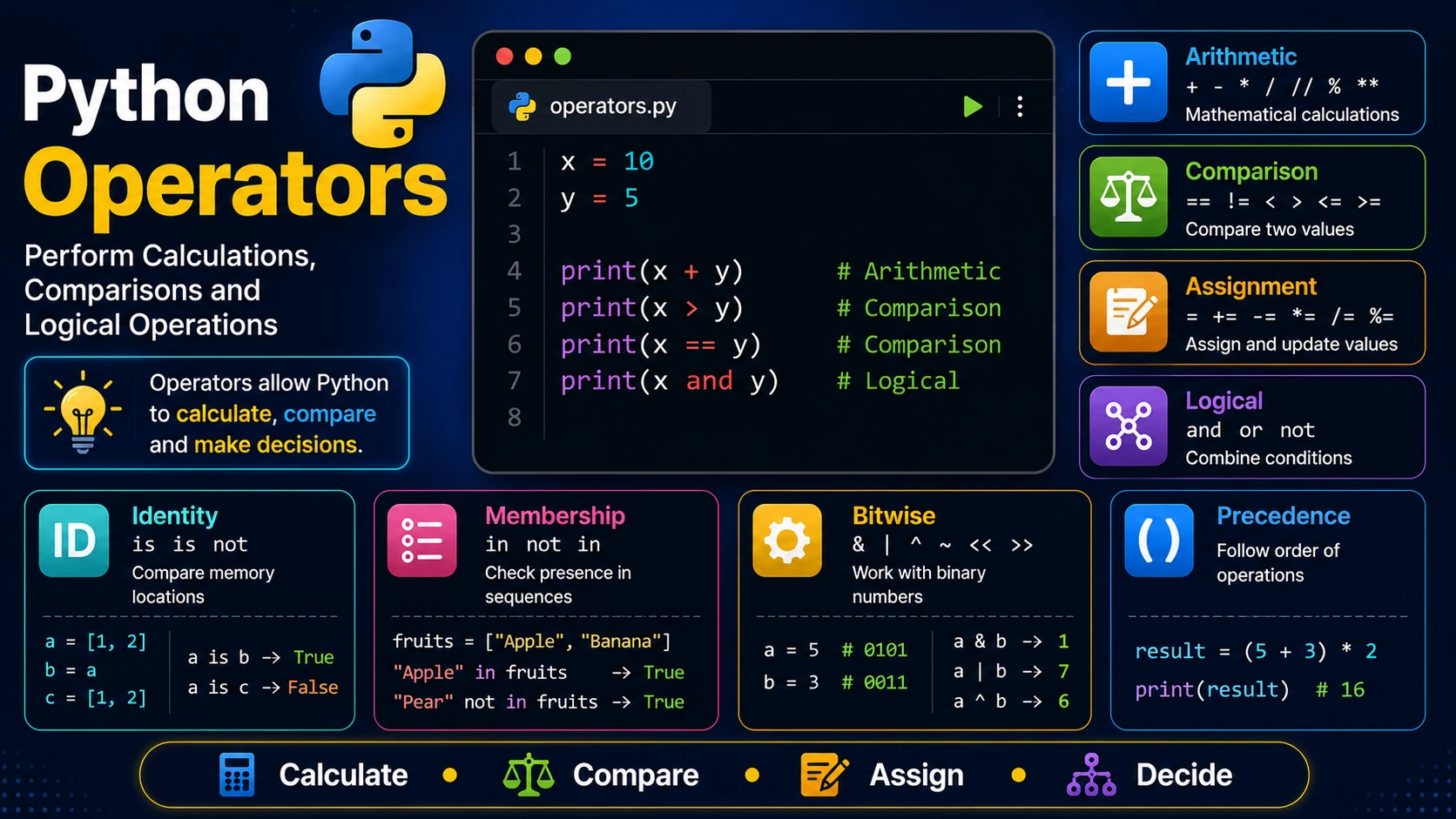
Operators are special symbols that tell Python to perform operations on values or variables. They are used for calculations, comparisons, assigning values, and making logical decisions.
Arithmetic Operators
Arithmetic operators perform mathematical calculations.
| Operator | Description | Example |
|---|---|---|
| + | Addition | 5 + 2 = 7 |
| - | Subtraction | 5 - 2 = 3 |
| * | Multiplication | 5 * 2 = 10 |
| / | Division | 5 / 2 = 2.5 |
| // | Floor Division | 5 // 2 = 2 |
| % | Modulus | 5 % 2 = 1 |
| ** | Exponent | 2 ** 3 = 8 |
Comparison Operators
Comparison operators compare two values and return either True or False.
x = 10
y = 20

print(x == y)
print(x != y)
print(x < y)
print(x > y)
print(x <= y)
print(x >= y)
Assignment Operators
x = 5

x += 3
x -= 2
x *= 4
x /= 2
Logical Operators
Logical operators combine multiple conditions.
age = 20

print(age > 18 and age < 65)

print(age > 18 or age < 10)

print(not(age > 18))
Identity Operators
x = [1,2]
y = x
z = [1,2]

print(x is y)

print(x is z)

print(x is not z)
Membership Operators
fruits = ["Apple","Banana","Orange"]

print("Apple" in fruits)

print("Pear" not in fruits)
Bitwise Operators
Python also provides bitwise operators for working directly with binary numbers.
a = 5
b = 3

print(a & b)
print(a | b)
print(a ^ b)
Operator Precedence
Python follows mathematical precedence rules. Parentheses can be used to control the order of evaluation.
result = (5 + 3) * 2

print(result)
Summary
Operators are essential for building Python programs. They allow you to calculate values, compare data, make decisions, and manipulate variables efficiently.
Examples
The following examples help reinforce the concepts explained in this lesson.
<!DOCTYPE html>
<html>

<head>

<title>My First Page</title>

</head>

<body>

<h1>Hello World</h1>

</body>

</html>
💡 Pro Tip
Practice every concept immediately after reading it. Learning by doing is the fastest way to master HTML.
⚠ Common Mistake
Do not simply copy code examples. Type them yourself and experiment with small changes.
Best Practices
- Write clean and readable HTML.
- Indent your code consistently.
- Use semantic HTML elements.
- Validate your HTML regularly.
- Test your pages in multiple browsers.
Frequently Asked Questions
Why should I learn HTML first?
HTML is the foundation of every website. Once you understand HTML, learning CSS and JavaScript becomes much easier.
Is HTML difficult?
No. HTML is considered one of the easiest web technologies to learn, making it an excellent starting point for beginners.