
Introduction
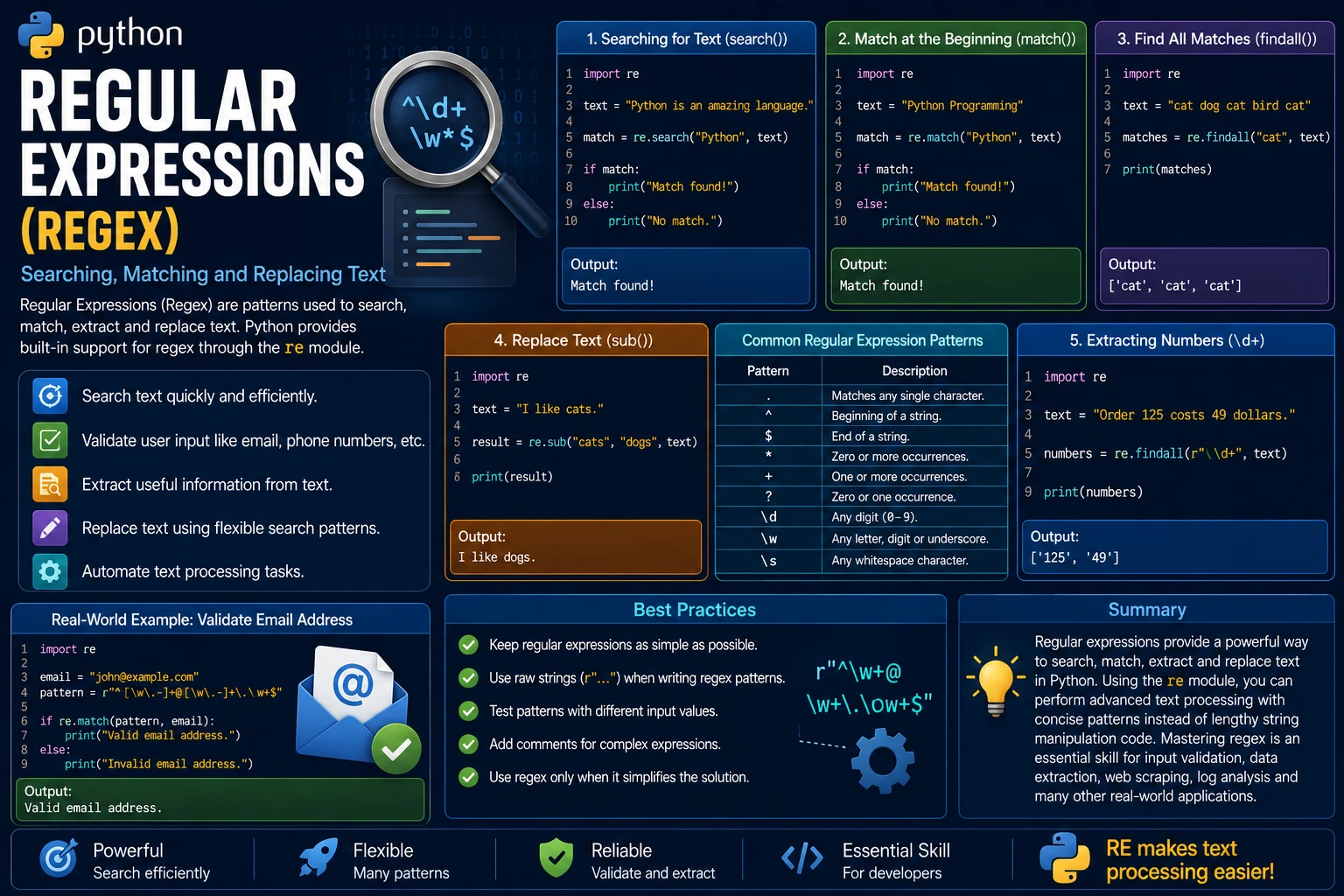
A Regular Expression, often called Regex, is a sequence of characters that defines a search pattern. Regular expressions allow you to search, validate, extract and replace text efficiently. Python provides built-in support for regular expressions through the re module.
Regex is widely used in data validation, text processing, web scraping, log analysis and search functionality. Learning regular expressions will greatly improve your ability to work with strings in Python.
Why Use Regular Expressions?
Instead of writing complex string manipulation code, you can use concise regular expression patterns to find exactly the text you need.
- Search text quickly.
- Validate user input.
- Extract useful information.
- Replace matching text.
- Automate text processing tasks.
Importing the re Module
Before using regular expressions, import Python's built-in re module.
import re
The module provides many useful functions for matching and manipulating text.
Searching for Text
The search() function looks for the first occurrence of a pattern anywhere in a string. If a match is found, it returns a match object; otherwise it returns None.
import re

text = "Python is an amazing language."

match = re.search("Python", text)

if match:
    print("Match found!")
else:
    print("No match.")
Output:
Match found!
The match() Function
The match() function checks whether a pattern appears at the beginning of a string. Unlike search(), it does not search the entire string.
import re

text = "Python Programming"

match = re.match("Python", text)

if match:
    print("Match found!")
else:
    print("No match.")
Output:
Match found!
Finding All Matches
The findall() function returns every occurrence of a pattern as a list.
import re

text = "cat dog cat bird cat"

matches = re.findall("cat", text)

print(matches)
Output:
['cat', 'cat', 'cat']
Replacing Text
The sub() function replaces all occurrences of a pattern with new text.
import re

text = "I like cats."

result = re.sub("cats", "dogs", text)

print(result)
Output:
I like dogs.
Common Regular Expression Patterns
Regular expressions use special characters called metacharacters to define search patterns.
| Pattern | Description |
|---|---|
. |
Matches any single character. |
^ |
Beginning of a string. |
$ |
End of a string. |
* |
Zero or more occurrences. |
+ |
One or more occurrences. |
? |
Zero or one occurrence. |
\d |
Any digit (0–9). |
\w |
Any letter, digit or underscore. |
\s |
Any whitespace character. |
Extracting Numbers
The following example extracts every number from a string using the \d+ pattern.
import re

text = "Order 125 costs 49 dollars."

numbers = re.findall(r"\d+", text)

print(numbers)
Output:
['125', '49']
Real-World Example
Regular expressions are commonly used to validate user input. For example, before saving an email address, a program can verify that it follows the correct format.
import re

email = "john@example.com"

pattern = r"^[\w\.-]+@[\w\.-]+\.\w+$"

if re.match(pattern, email):
    print("Valid email address.")
else:
    print("Invalid email address.")
Output:
Valid email address.
Advantages of Regular Expressions
- Search text quickly and efficiently.
- Validate user input such as email addresses and phone numbers.
- Extract useful information from large amounts of text.
- Replace text using flexible search patterns.
- Reduce the amount of manual string manipulation code.
- Widely used in web development, data processing and automation.
Best Practices
- Keep regular expressions as simple as possible.
- Use raw strings (
r"...") when writing regex patterns. - Test patterns with different input values.
- Add comments for complex expressions to improve readability.
- Use regular expressions only when they simplify the solution.
Summary
Regular expressions provide a powerful way to search, match, extract and replace text in Python. Using the re module, you can perform advanced text processing with concise patterns instead of lengthy string manipulation code. Mastering regular expressions is an essential skill for tasks such as input validation, data extraction, web scraping and log analysis, making them one of the most valuable tools for Python developers.
Examples
The following examples help reinforce the concepts explained in this lesson.
<!DOCTYPE html>
<html>

<head>

<title>My First Page</title>

</head>

<body>

<h1>Hello World</h1>

</body>

</html>
💡 Pro Tip
Practice every concept immediately after reading it. Learning by doing is the fastest way to master HTML.
⚠ Common Mistake
Do not simply copy code examples. Type them yourself and experiment with small changes.
Best Practices
- Write clean and readable HTML.
- Indent your code consistently.
- Use semantic HTML elements.
- Validate your HTML regularly.
- Test your pages in multiple browsers.
Frequently Asked Questions
Why should I learn HTML first?
HTML is the foundation of every website. Once you understand HTML, learning CSS and JavaScript becomes much easier.
Is HTML difficult?
No. HTML is considered one of the easiest web technologies to learn, making it an excellent starting point for beginners.