
Introduction
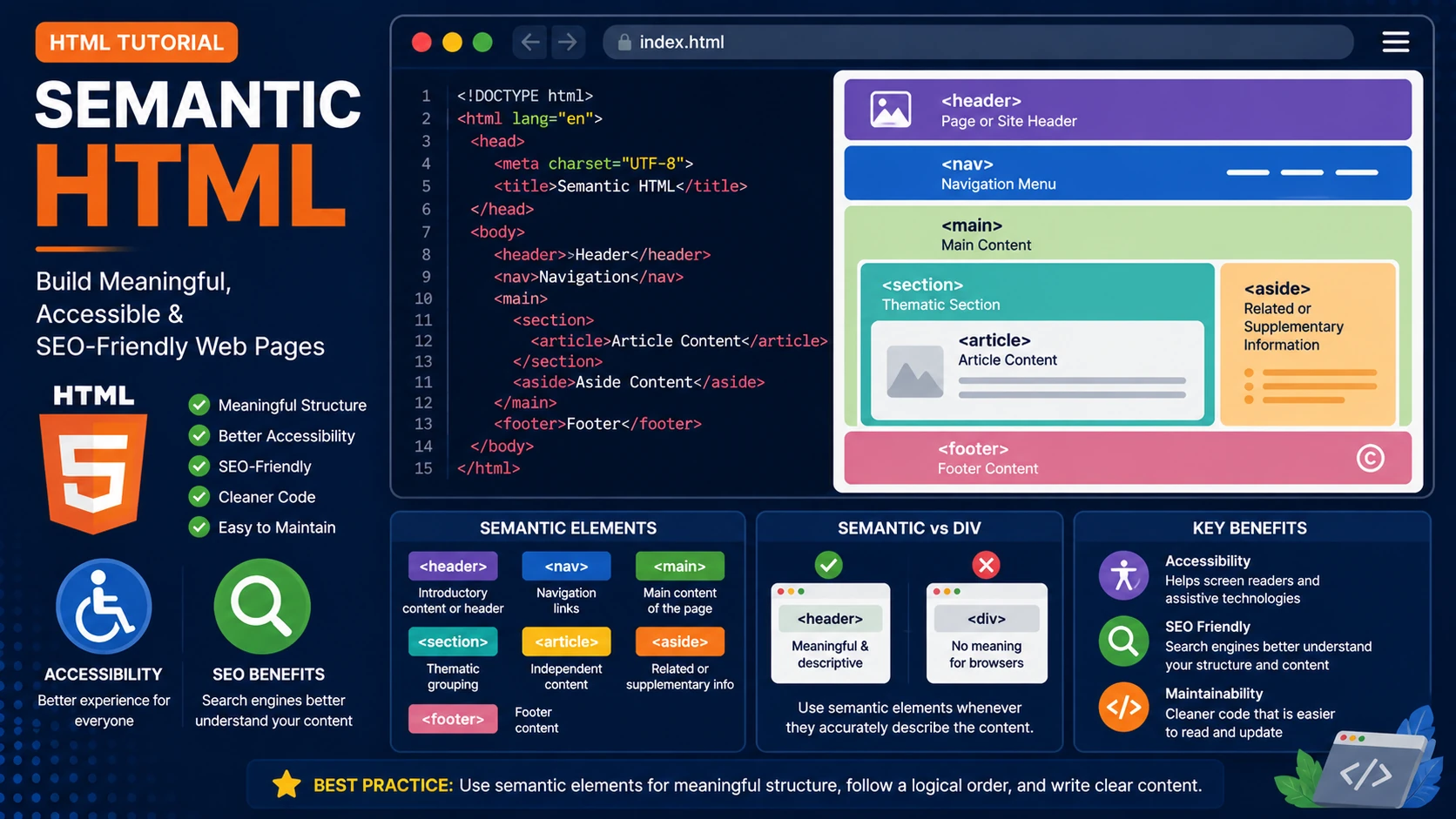
Semantic HTML uses elements that clearly describe their purpose. Instead of relying on generic elements such as <div> everywhere, semantic elements explain the role of each section of a webpage. This makes websites easier to understand for browsers, search engines and assistive technologies.
Why Use Semantic HTML?
Semantic HTML improves accessibility, search engine optimization (SEO), maintainability and code readability. Search engines can better understand your content, while screen readers provide a better experience for users with disabilities.
Common Semantic Elements
- <header> – Introductory content or page header.
- <nav> – Navigation links.
- <main> – Main content of the page.
- <section> – Thematic grouping of content.
- <article> – Independent piece of content.
- <aside> – Related or supplementary information.
- <footer> – Footer content.
Example Page Structure
<header>

    Website Header

</header>

<nav>

    Navigation Menu

</nav>

<main>

    <section>

        <article>

            Main Article

        </article>

    </section>

</main>

<aside>

    Related Links

</aside>

<footer>

    Copyright © 2026

</footer>
Semantic HTML vs Div Elements
The <div> element is useful for grouping content, but it has no inherent meaning. Whenever a semantic element accurately describes the content, it should be preferred over a generic <div>.
Accessibility Benefits
- Improves navigation for screen readers.
- Helps assistive technologies understand page structure.
- Makes websites easier to use for everyone.
SEO Benefits
- Search engines better understand your content.
- Improves content organization.
- Supports rich search results.
- Encourages cleaner HTML.
Best Practices
- Use semantic elements whenever appropriate.
- Keep one <main> element per page.
- Use headings in logical order.
- Avoid excessive nesting.
- Write meaningful content.
Summary
Semantic HTML creates websites that are easier to understand, easier to maintain and more accessible. It is considered a best practice in modern web development and should be used in every professional project.
Examples
The following examples help reinforce the concepts explained in this lesson.
<!DOCTYPE html>
<html>

<head>

<title>My First Page</title>

</head>

<body>

<h1>Hello World</h1>

</body>

</html>
💡 Pro Tip
Practice every concept immediately after reading it. Learning by doing is the fastest way to master HTML.
⚠ Common Mistake
Do not simply copy code examples. Type them yourself and experiment with small changes.
Best Practices
- Write clean and readable HTML.
- Indent your code consistently.
- Use semantic HTML elements.
- Validate your HTML regularly.
- Test your pages in multiple browsers.
Frequently Asked Questions
Why should I learn HTML first?
HTML is the foundation of every website. Once you understand HTML, learning CSS and JavaScript becomes much easier.
Is HTML difficult?
No. HTML is considered one of the easiest web technologies to learn, making it an excellent starting point for beginners.