
Introduction
Tables are used to organize data into rows and columns. They are perfect for displaying product information, invoices, price lists, schedules, comparison charts and many other types of structured data.
Creating a Basic Table
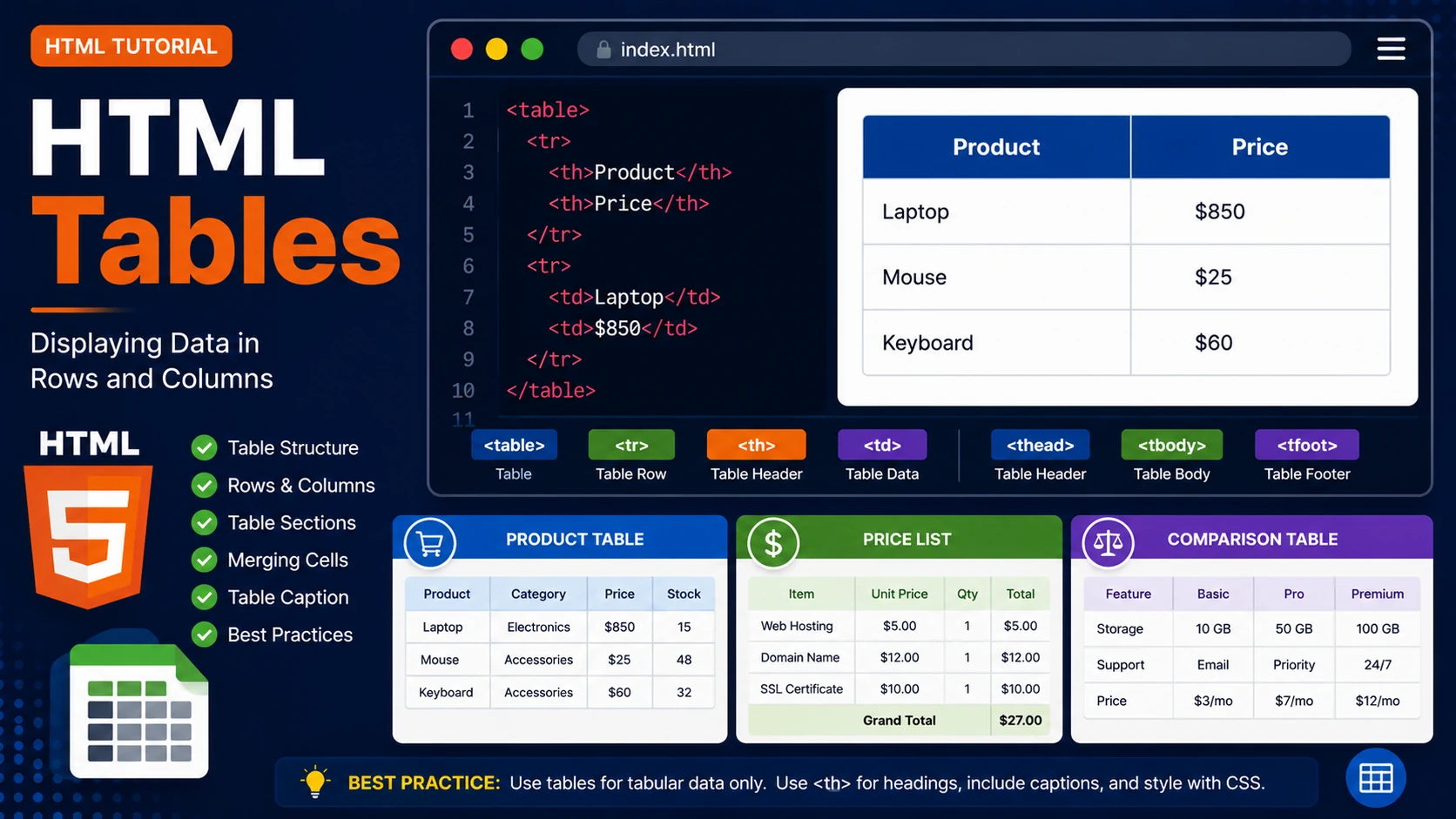
A table consists of rows (<tr>), header cells (<th>) and data cells (<td>).
<table>

    <tr>

        <th>Product</th>

        <th>Price</th>

    </tr>

    <tr>

        <td>Laptop</td>

        <td>$850</td>

    </tr>

</table>
Example Output
| Product | Price |
|---|---|
| Laptop | $850 |
| Mouse | $25 |
| Keyboard | $60 |
Table Sections
Large tables can be divided into three sections:
- <thead> – Header section.
- <tbody> – Main table content.
- <tfoot> – Footer section.
<table>

    <thead>

    ...

    </thead>

    <tbody>

    ...

    </tbody>

    <tfoot>

    ...

    </tfoot>

</table>
Merging Cells
Use colspan to merge columns and rowspan to merge rows.
<td colspan="2">

Total

</td>
Best Practices
- Use tables only for tabular data.
- Use <th> for headings.
- Include table captions when appropriate.
- Keep tables simple and readable.
- Use CSS for styling instead of HTML attributes.
Summary
HTML tables provide an effective way to display structured information. Proper use of table headings and sections improves readability and accessibility.
Examples
The following examples help reinforce the concepts explained in this lesson.
<!DOCTYPE html>
<html>

<head>

<title>My First Page</title>

</head>

<body>

<h1>Hello World</h1>

</body>

</html>
💡 Pro Tip
Practice every concept immediately after reading it. Learning by doing is the fastest way to master HTML.
⚠ Common Mistake
Do not simply copy code examples. Type them yourself and experiment with small changes.
Best Practices
- Write clean and readable HTML.
- Indent your code consistently.
- Use semantic HTML elements.
- Validate your HTML regularly.
- Test your pages in multiple browsers.
Frequently Asked Questions
Why should I learn HTML first?
HTML is the foundation of every website. Once you understand HTML, learning CSS and JavaScript becomes much easier.
Is HTML difficult?
No. HTML is considered one of the easiest web technologies to learn, making it an excellent starting point for beginners.