
Introduction
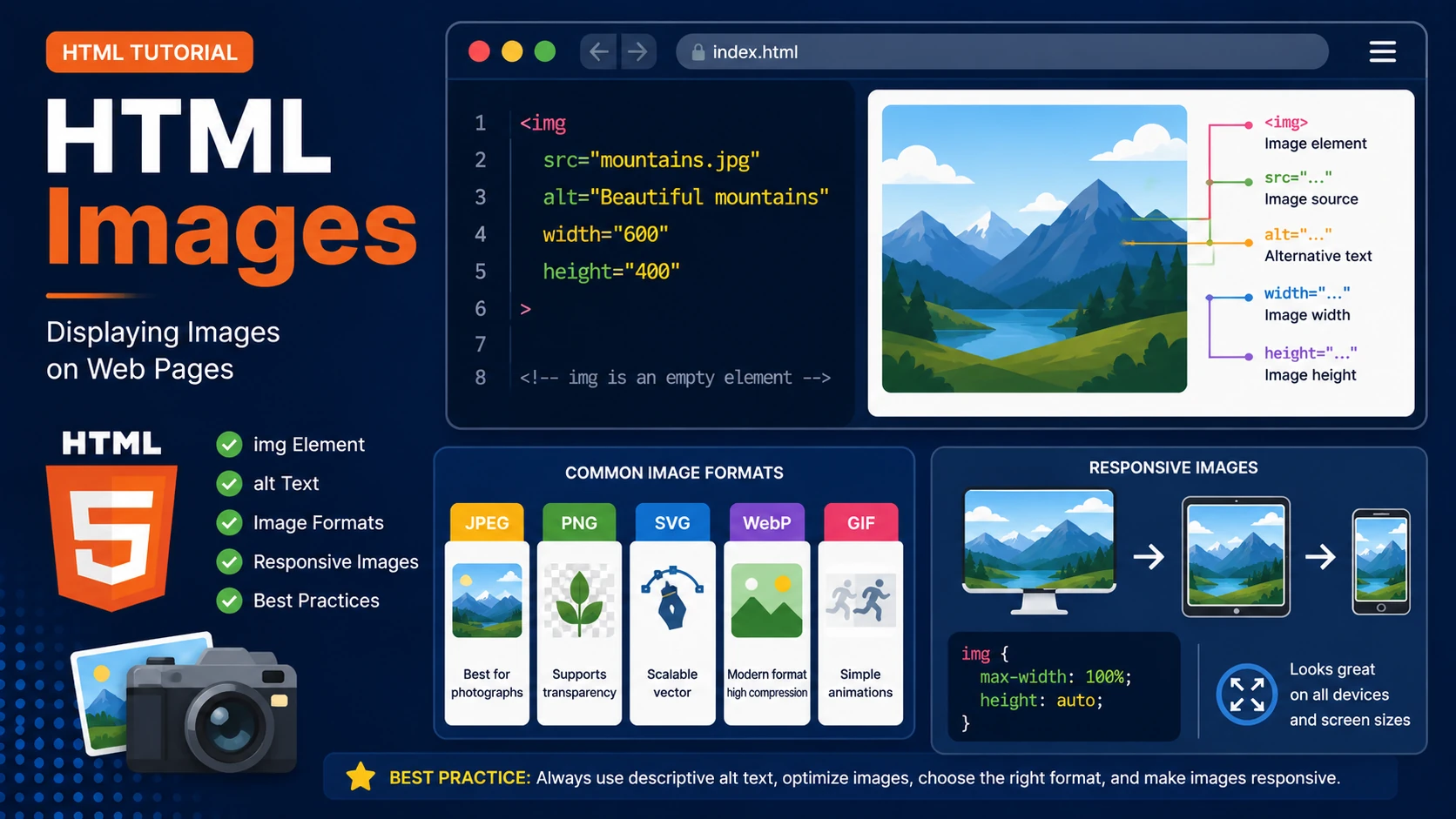
Images make websites more attractive, engaging and informative. HTML uses the <img> element to display images. Unlike most HTML elements, the <img> element is an empty element—it does not have a closing tag.
The Image Element
The basic syntax is:
<img src="mountains.jpg"

alt="Beautiful mountains">
The src attribute specifies the image file, while the alt attribute provides alternative text if the image cannot be displayed or for users using screen readers.
Setting Image Size
<img
src="cat.jpg"
alt="Cat"

width="400"

height="300">
You can control image dimensions using the width and height attributes or with CSS.
Common Image Formats
- JPEG (.jpg) – Best for photographs.
- PNG (.png) – Supports transparency.
- SVG (.svg) – Vector graphics that scale perfectly.
- WebP (.webp) – Modern format with excellent compression.
- GIF (.gif) – Simple animations.
Responsive Images
Modern websites should display images correctly on desktops, tablets and smartphones.
img{

    max-width:100%;

    height:auto;

}
Best Practices
- Always include descriptive alt text.
- Optimize images to reduce loading time.
- Choose the appropriate image format.
- Use responsive images whenever possible.
- Avoid unnecessarily large image files.
Summary
The HTML <img> element allows you to display images on your webpage. By using appropriate formats, descriptive alt text and responsive techniques, you can improve user experience, accessibility and page performance.
Examples
The following examples help reinforce the concepts explained in this lesson.
<!DOCTYPE html>
<html>

<head>

<title>My First Page</title>

</head>

<body>

<h1>Hello World</h1>

</body>

</html>
💡 Pro Tip
Practice every concept immediately after reading it. Learning by doing is the fastest way to master HTML.
⚠ Common Mistake
Do not simply copy code examples. Type them yourself and experiment with small changes.
Best Practices
- Write clean and readable HTML.
- Indent your code consistently.
- Use semantic HTML elements.
- Validate your HTML regularly.
- Test your pages in multiple browsers.
Frequently Asked Questions
Why should I learn HTML first?
HTML is the foundation of every website. Once you understand HTML, learning CSS and JavaScript becomes much easier.
Is HTML difficult?
No. HTML is considered one of the easiest web technologies to learn, making it an excellent starting point for beginners.